
Troubleshoot Before Calling the IT Helpdesk
Last Updated 11/2025
German, English, Spanish, French, Portuguese, Thai, Chinese
30-Day Money Back Guarantee
Full Lifetime Access
Finish in
7 min! Run Time
7 min! Run Time
Made for for
Employees
only
Employees
only
No Certificate
Provided
Provided
Mobile -
Friendly
Access
Friendly
Access
What you'll learn
Talk about why it's important to fix minor technical issues on your own, and then we'll discuss how to do it.
Description
A blank screen, documents that will not print, no sound, no Wi-Fi. These issues pop up all the time, and this course shows why it is worth trying to fix them yourself before calling IT.
What this course covers:
- Why it helps to troubleshoot minor issues on your own
- Common problems like blank screens and printing errors
- Sorting out sound and Wi-Fi connection trouble
- Simple steps to try before contacting the helpdesk
You will gain the confidence to resolve minor tech issues before calling the IT helpdesk.
System Requirements
See System Requirements in the Coggno Knowledge Base
Troubleshoot Before Calling the IT Helpdesk
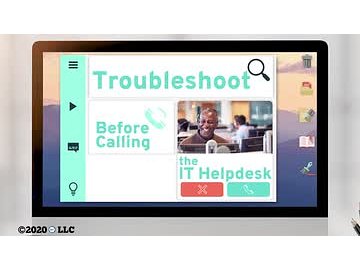
Troubleshoot Before Calling the IT Helpdesk
My screen went blank! Why aren't my documents printing correctly? I'm not able to get any sound from my speakers! Why can't I connect to Wi-Fi?! Don't you just love technology? These issues pop up all the time, and before you call IT for help, you need to try troubleshooting the problem first. In this course, we'll talk about why it's important to fix minor technical issues on your own, and then we'll discuss how to do it.
Frequently Asked Questions
This course is designed for employees who need to complete Troubleshoot Before Calling the IT Helpdesk training
Yes. This course is designed to meet applicable federal requirements and commonly mandated state standards. Always confirm specific state or industry requirements with your local regulations.
The course takes approximately 7 minutes to complete and can be paused and resumed at any time.
No. This course does not include a certificate of completion.
Yes. You can assign this course to individuals or groups using Coggno’s LMS, or purchase multiple seats for your team.
Yes. This course can be exported for delivery in most learning management systems (SCORM compatible).
Yes. The course is fully self-paced and available 24/7.
Yes. This course includes a knowledge check to reinforce learning and verify completion.
Learners have lifetime access from the date of purchase.
Yes. A preview is available so you can review the course format and content before purchasing.
Yes. Content is reviewed and updated as regulations and best practices change.
Yes. This course is available for free with an active Prime Subscription.
Yes. Refund requests can be submitted within 30 days of purchase.
OSHA Compliance
- Bloodborne Pathogens Training (21)
- Electrical Safety (73)
- Fire Safety Training (50)
- First Aid Training (34)
- Forklift Training (45)
- HazCom (Hazard Communication) (51)
- Lockout/Tagout (LOTO) (24)
- OSHA 10 Hour Training (6)
- OSHA 30 Hour Training (2)
- PPE (Personal Protective Equipment) (65)
- Slips, Trips & Falls (72)
- Workplace Safety (1001)