Affinity Designer For Beginners
Last Updated 10/2023
English
30-Day Money Back Guarantee
Full Lifetime Access
Finish in
3h! Run Time
3h! Run Time
Made for for
Employees
only
Employees
only
Certificate
of Completion
of Completion
Mobile -
Friendly
Access
Friendly
Access
Description
Affinity Designer is a fast, affordable vector design tool and a strong alternative to pricier industry-standard software. This course teaches it hands-on through real projects.
What this course covers:
- The Affinity Designer tools and user interface
- Designing logos, icons, and graphic illustrations
- Manipulating images and combining them into artwork
- Exporting work for web, print, and app development
- Design principles you can apply in other programs
Includes 17 lectures and over three hours of content, suitable for beginners and those with some design experience.
System Requirements
See System Requirements in the Coggno Knowledge Base
Affinity Designer For Beginners
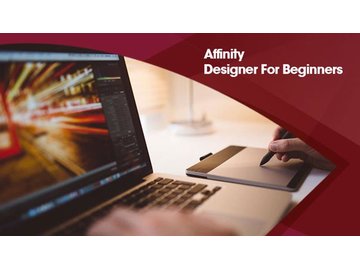
Affinity Designer For Beginners
While Adobe Creative Suite is still the industry standard in the creative world it's sky high subscription fees are far beyond the budgets of most aspiring designers. Luckily Affinity Designer is quickly rising up the ranks to provide some serious competition. Much more affordable than its predecessor and equally as versatile there has never been a better time to get to grips with this innovative new program.
- Learn Affinity Designer by Examples
- Master the tools and user interface of Affinity Design
- Gain an understanding of the overall process of designing graphics
- Build up a foundation of knowledge for using similar design programs
- Use real world examples to familiarise yourself with the software
Course Overview
Ideal for graphic designers web designers and artists this course includes 17 lectures and over 3 hours of content. Suited for both complete beginners or those who already have experience with similar software such as Adobe the course will show you how the Affinity Designer user interface works through creating real world projects.
You'll learn how to use the various tools of Affinity Designer in a hands-on environment; and not just vector graphics – you'll learn how to manipulate images design logos and icons create graphic illustrations combine images render images for all media types too and finally export your work for the web print and app development.
By learning Affinity Designer by example you'll gain an in-depth understanding of not only the tools used within the program but design principles and practices as a whole which you can then apply to design projects on almost any other platform.
About Affinity Designer
Affinity Designer is the fastest most efficient and arguably the best vector graphic design software to come along in recent years. More affordable and more specialised than Adobe Creative Suite it's ideal for working on websites UI design concept art illustrations and icons and all kinds of graphics. Made by designers for designers it's packed full of intuitive features and was even bestowed the honour of an Apple Design award in 2015.
Â
Target Audience
- Graphic designers
- Web designers
- Artists
Requirements
- You'll need a copy of Affinity Designer
- Some Photoshop and Illustrator experience is helpful but not required
Frequently Asked Questions
This course is designed for employees who need to complete Affinity Designer For Beginners training
Yes. This course is designed to meet applicable federal requirements and commonly mandated state standards. Always confirm specific state or industry requirements with your local regulations.
The course takes approximately 180 minutes to complete and can be paused and resumed at any time.
Yes. Learners receive a downloadable certificate upon successful completion, which can be used for compliance records and audits.
Yes. You can assign this course to individuals or groups using Coggno’s LMS, or purchase multiple seats for your team.
Yes. This course can be exported for delivery in most learning management systems (SCORM compatible).
Yes. The course is fully self-paced and available 24/7.
Yes. This course includes a knowledge check to reinforce learning and verify completion.
Learners have lifetime access from the date of purchase.
Yes. A preview is available so you can review the course format and content before purchasing.
Yes. Content is reviewed and updated as regulations and best practices change.
Yes. This course is available for free with an active Prime Subscription.
Yes. Refund requests can be submitted within 30 days of purchase.
OSHA Compliance
- Bloodborne Pathogens Training (21)
- Electrical Safety (73)
- Fire Safety Training (50)
- First Aid Training (34)
- Forklift Training (45)
- HazCom (Hazard Communication) (51)
- Lockout/Tagout (LOTO) (24)
- OSHA 10 Hour Training (6)
- OSHA 30 Hour Training (2)
- PPE (Personal Protective Equipment) (65)
- Slips, Trips & Falls (72)
- Workplace Safety (1001)